
Knowledge drift
Answers must come from approved, tenant-scoped sources—not an unbounded model memory.
Resolve / L0 Agents
Direct answer
L0 Agents use published workflows, approved tenant knowledge, and explicitly granted tools. When a request crosses a confidence, policy, or authorization boundary, the full support state moves to a person.
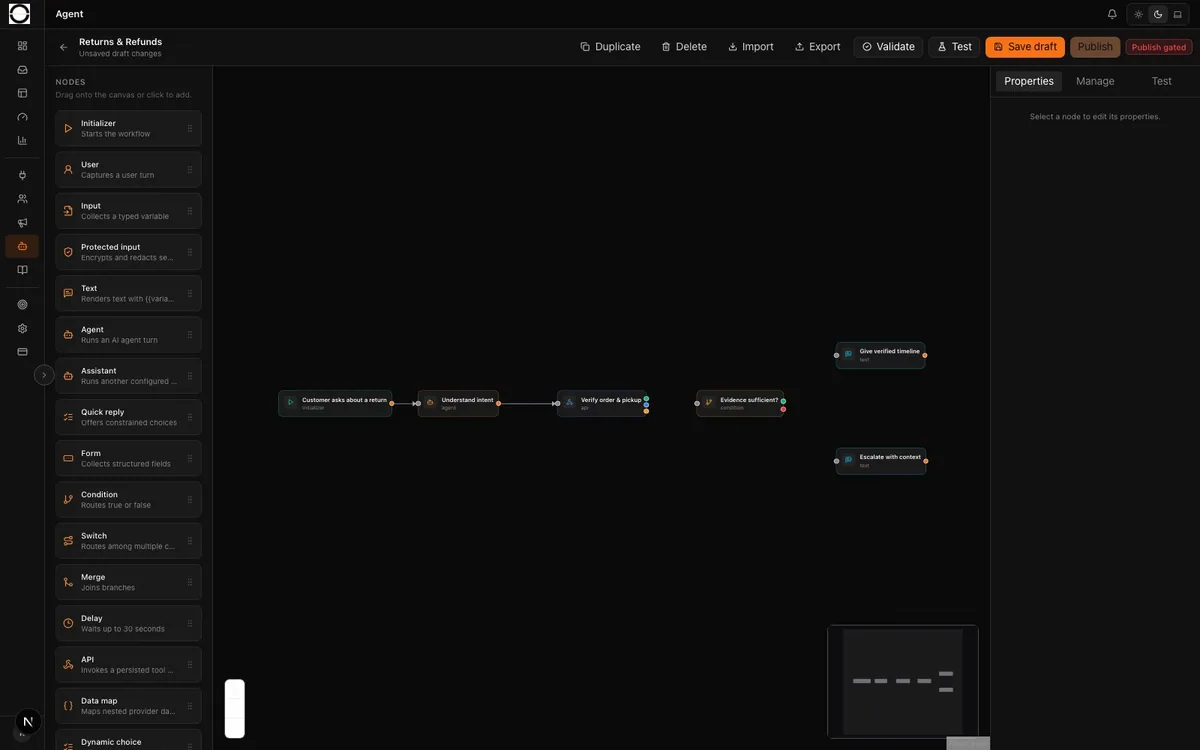 01 Versioned workflow 02 Authorized nodes
 The first-contact gap
High-volume support fails when automation optimizes for reply rate instead of safe resolution. OpenOS separates answer generation, authorized action, and evidence-backed escalation.
Answers must come from approved, tenant-scoped sources—not an unbounded model memory.
A workflow node can execute only a persisted tool granted to that exact release and node.
An escalation is incomplete unless the reason, transcript, collected fields, and customer context travel together.
Mechanism
Classify the request and collect the required context using the published workflow.
Retrieve from approved knowledge and expose the source context used by the workflow.
Use an authorized tool only within its grant; otherwise follow the explicit escalation path.
Write the conversation, workflow state, reason, and evidence into the shared support memory.
Operational control
The safety boundary is a product surface, not a sentence in a policy.
Draft, validate, publish, and bind a specific workflow revision to the channel runtime.
Tenant knowledge, import state, and source access remain separate from public model knowledge.
HTTP tools fail closed unless the release, node, tool, and allowed action are explicitly linked.
Escalation is a designed branch with a reason and payload—not a generic apology message.
Demonstration scenario
Customer asks about a delayed return and provides the order reference.
Workflow checks approved policy and attempts the authorized status lookup.
The status is inconsistent and the workflow cannot safely promise a refund date.
Workspace receives the transcript, order context, failed lookup evidence, and escalation reason.
Measures
Resolved eligible requests divided by the configured eligible request population.
Handoffs that include the required transcript, fields, reason, and customer context.
Authorized tool attempts that fail, time out, or return an invalid response.
Direct answers
No. Conversation is the customer interface. L0 Agents are governed workflows inside a wider operating loop that includes human exceptions, quality evidence, and leadership decisions.
Yes. Eligibility, workflow logic, knowledge, tools, and escalation branches are configured and released for the tenant.
Only through a configured HTTPS tool or provider path with the required secret reference and execution grant.
Tailored walkthrough
A tailored walkthrough for Support/CX, operations, and technology leaders—using your channels, responsibilities, and success measures.
Prefer email? sales@openost.com